Configure Regional Geo-blocking (RGB)
Note
RGB is only supported for HTTP Delivery Services.
Prepare an RGB configuration file. RGB uses a configuration file in JSON format to define regional geographic blocking rules for Delivery Services. The file needs to be put on an HTTP server accessible to Traffic Router.
{
"deliveryServices":
    [
        {
            "deliveryServiceId": "hls-live",
            "urlRegex": ".*live4\\.m3u8",
            "geoLocation": {"includePostalCode":["N0H", "L9V", "L9W"],
                            "coordinateRange": [{"minLat" : -12, "maxLat": 13, "minLon" : 55, "maxLon": 56}, {"minLat" : -13, "maxLat": 14, "minLon" : 55, "maxLon": 56}]},
            "redirectUrl": "http://third-party.com/blacked_out.html"
        },
        {
            "deliveryServiceId": "hls-live",
            "urlRegex": ".*live5\\.m3u8",
            "ipWhiteList": ["185.68.71.9/22","142.232.0.79/24"],
            "geoLocation": {"excludePostalCode":["N0H", "L9V"]},
            "redirectUrl": "/live5_low_bitrate.m3u8",
            "isSteeringDS": "false"
        },
        {
            "deliveryServiceId": "linear-steering",
            "urlRegex": ".*live3\\.m3u8",
            "ipWhiteList": ["185.68.71.9/22","142.232.0.79/24"],
            "geoLocation": {"excludePostalCode":["N0H", "L9V"]},
            "redirectUrl": "http://ip-slate.cdn.example.com/slate.m3u8",
            "isSteeringDS": "true"
        }
    ]
}
deliveryServiceIdShould be equal to the
IDorxml_idfield of the intended Delivery Service as configured in Traffic PortalurlRegexA regular expression to be used to determine to what URLs the rule shall apply; a URL that matches it is subject to the rule
geoLocationAn object that currently supports only the keys
includePostalCode,excludePostalCode(mutually exclusive) andcoordinateRange. When theincludePostalCodekey is used, only the clients whose FSAs - the first three postal characters of Canadian postal codes - are in theincludePostalCodelist are able to view the content at URLs matched by theurlRegex. WhenexcludePostalCodeis used, any client whose FSA is not in theexcludePostalCodelist will be allowed to view the content. ThecoordinateRangekey is used to specify a list of latitude and longitude ranges. This is used in regional geo blocking, in case the client does not have a postal code associated with it.redirectUrlThe URL that will be returned to the blocked clients. Without a domain name in the URL, the URL will still be served in the same Delivery Service. Thus Traffic Router will redirect the client to a chosen cache server assigned to the Delivery Service. If the URL includes a domain name, Traffic Router simply redirects the client to the defined URL. In the latter case, the redirect URL must not match the
urlRegexvalue, or an infinite loop of HTTP302 Foundresponses will occur at the Traffic Router. Steering-Type Delivery Services must contain an FQDN as the re-direct or Traffic Router will return a DENIED to the client. This is because steering services do not have caches associated to them, so a relativeredirectURLcan not be turned into a FQDN.ipWhiteListAn optional element that is an array of CIDR blocks indicating the IPv4 and/or IPv6 subnets that are allowed by the rule. If this list exists and the value is not empty, client IP will be matched against the CIDR list, bypassing the value of
geoLocation. If there is no match in the white list, Traffic Router defers to the value ofgeoLocationto determine if content ought to be blocked.
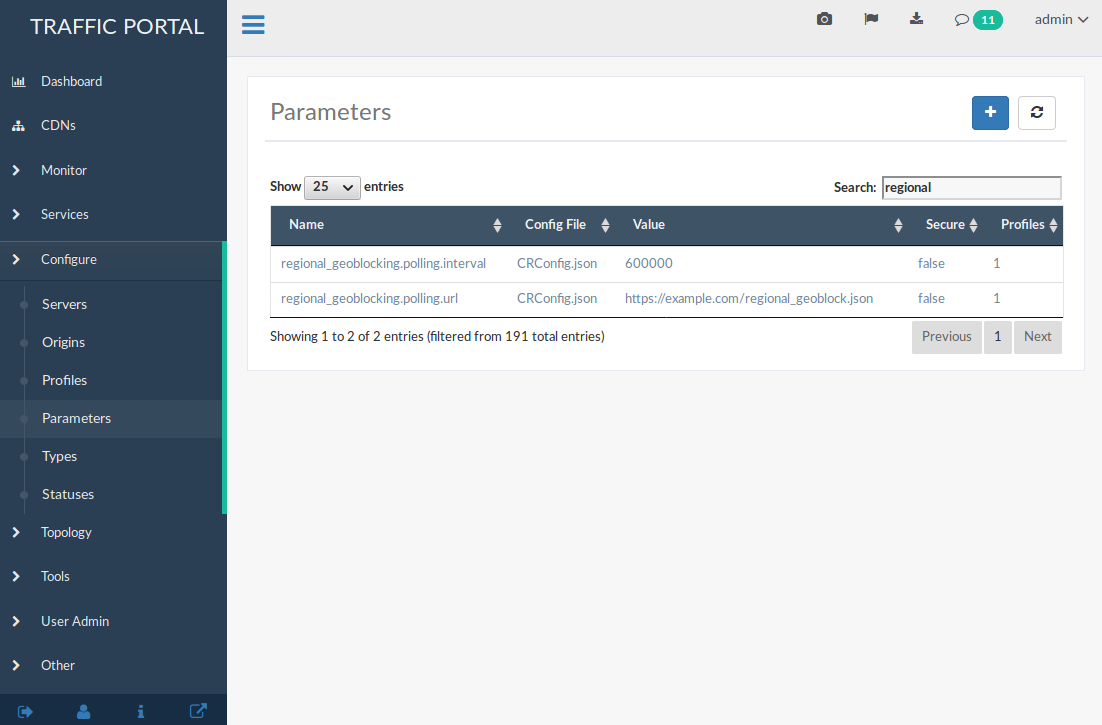
Add RGB Parameters in Traffic Portal to the Delivery Service’s Traffic Router(s)’s Profile(s). The Config File value should be set to
CRConfig.json, and the following two Parameter Name/Value pairs need to be specified:regional_geoblock.polling.urlThe URL of the RGB configuration file. Traffic Router will fetch the file from this URL using an HTTP
GETrequest.regional_geoblock.polling.intervalThe interval on which Traffic Router polls the RGB configuration file.
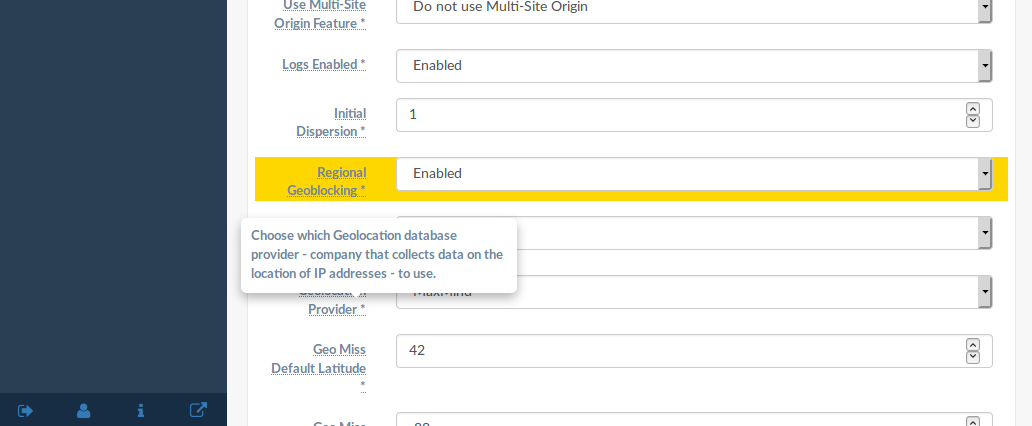
Enable RGB for a Delivery Service using the Delivery Services view in Traffic Portal (don’t forget to save changes!)
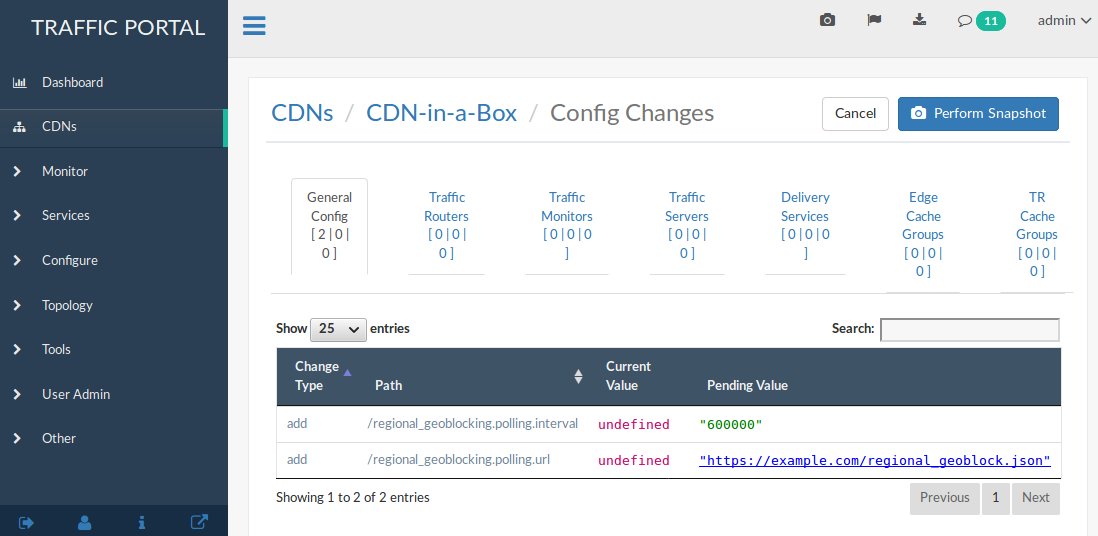
Go to the Traffic Portal CDNs view, click on Diff CDN Config Snapshot, and click Perform Snapshot.
Traffic Router Access Log
See also
RGB extends the rtype field and adds a new field rgb in Traffic Router access.log to help to monitor this feature. A value of RGALT in the rtype field indicates that a request is redirected to an alternate URL by RGB; a value of RGDENY indicates that a request is denied by RGB because there is no matching rule in the RGB configuration file for this request. When RGB is enabled, the RGB field will be non-empty with following format:
{FSA}:{allowed/disallowed}:{include/exclude postal}:{fallback config}:{allowed by whitelist}
- FSA
FSA part of the client’s postal code, which is retrieved from a geographic location database. If this field is empty, a dash (“-“) is filled in.
- allowed/disallowed
This flag shows if a request was allowed or disallowed by RGB (1 for yes, and 0 for no).
- include/exclude postal
This shows that when a rule in JSON is matched for a request, it’s value is “I” if the rule matched because of an
includePostalCoderule, “X” if the rule matched because of anexcludePostalCoderule, or “-” if no rule matched.- fallback config
When Traffic Router fails to parse an RGB configuration file as JSON, Traffic Router will handle requests with latest valid configuration that it had, but will set the
fallback configflag to 1. If no fall-back occurred, then the flag is set to 0.- allowed by whitelist
If a request is allowed by a
whitelistfield in the configuration, this flag is set to 1; for all other cases, it is 0.
1446442214.685 qtype=HTTP chi=129.100.254.79 url="http://foo.geo2.cdn.com/live5.m3u8" cqhm=GET cqhv=HTTP/1.1 rtype=GEO rloc="-" rdtl=- rerr="-" rgb="N6G:1:X:0:0" pssc=302 ttms=3 rurl=http://cent6-44.geo2.cdn.com/live5.m3u8 rh="-"

1446442219.181 qtype=HTTP chi=184.68.71.9 url="http://foo.geo2.cdn.com/live5.m3u8" cqhm=GET cqhv=HTTP/1.1 rtype=RGALT rloc="-" rdtl=- rerr="-" rgb="-:0:X:0:0" pssc=302 ttms=3 rurl=http://cent6-44.geo2.cdn.com/low_bitrate.m3u8 rh="-"

1446445521.677 qtype=HTTP chi=24.114.29.79 url="http://foo.geo2.cdn.com/live51.m3u8" cqhm=GET cqhv=HTTP/1.1 rtype=RGDENY rloc="-" rdtl=- rerr="-" rgb="L4S:0:-:0:0" pssc=520 ttms=3 rurl="-" rh="-"